Starting a website for a small business used to require hiring a developer or learning complex coding. Today, platforms like WordPress have changed that completely. With the right tools and a clear plan, anyone can create a professional website that represents their business online.
I have helped several small organisations build their online presence, and one thing remains consistent: a well-built website becomes the foundation of digital growth. When done properly, it supports search visibility, customer trust, and long-term marketing.
In this guide, I will walk through the process I normally follow when building a WordPress website for a small business.
Why WordPress Is a Smart Choice for Small Businesses
When people ask me which platform they should use, WordPress often becomes my first recommendation. It powers a large portion of the web and offers flexibility that many other platforms cannot match.
One reason I like WordPress is its open-source nature. According to documentation from the WordPress Foundation, the platform allows developers and businesses to customise almost every part of their website.
This flexibility matters for small businesses because needs evolve. A simple website today may later require a blog, booking system, or online store.
Another advantage involves search engine optimisation. WordPress provides clean website structures and allows the use of professional SEO tools, which helps websites appear in search results on platforms such as Google.
Step 1: Choose a Domain Name and Hosting
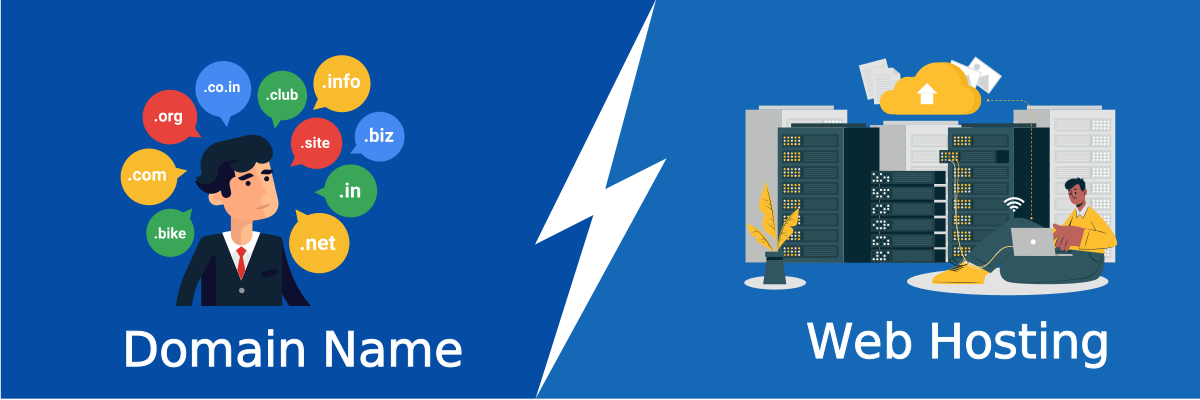
The first step is securing a domain name and web hosting.
A domain name represents your online identity. It should match your brand and remain easy to remember. For example, many businesses simply use their company name followed by “.com” or another trusted domain extension.
Hosting is where your website files live. Reliable hosting ensures your website loads quickly and stays accessible to visitors.
When selecting a host, I usually look for three essential features: strong uptime reliability, secure servers, and responsive support.
Step 2: Install WordPress
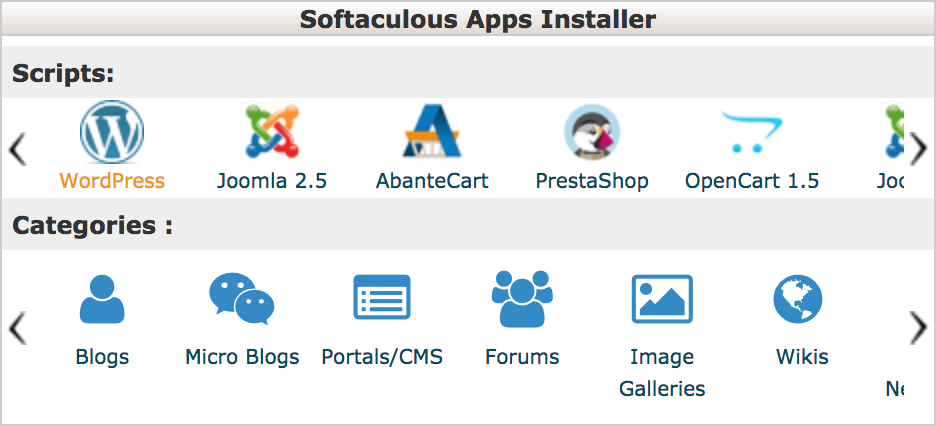
Most hosting providers offer a one-click WordPress installation. This makes the setup process straightforward.
Once installed, you can access your website dashboard. This is where you manage pages, posts, design settings, and plugins.
At this stage, the website might still look simple, but the structure is now ready for customisation.
Step 3: Select a Professional Theme

A theme controls how your website looks and feels.
For small business websites, I usually choose themes that prioritise speed, clarity, and mobile responsiveness. Mobile-friendly design is especially important because many users browse websites from smartphones.
Themes can be customised through colours, layouts, and typography to match the brand identity of the business.
Step 4: Add Essential Pages
Every professional business website should include a few important pages.
The homepage introduces visitors to the brand and explains what the business offers.
An about page builds credibility by sharing the story, mission, and values of the company.
Service pages describe products or services in detail, helping potential customers understand how the business can help them.
A contact page makes it easy for visitors to reach the business through forms, phone numbers, or email.
Clear navigation across these pages improves user experience and helps search engines understand the structure of the website.
Step 5: Install Key Plugins
Plugins extend the functionality of a WordPress website.
For example, many website owners use tools like Yoast SEO to manage search engine optimisation settings.
Security plugins also help protect websites from common threats. Reliable backups ensure that website data remains safe even if technical issues occur.
I always recommend installing only essential plugins. Too many plugins can slow down a website and affect performance.
Step 6: Optimise the Website for Search Engines
Search engine optimisation is critical if a business wants customers to find its website online.
Good SEO begins with helpful content. Search engines prioritise pages that answer real user questions clearly and accurately.
Google’s own guidelines from Google Search Central emphasise creating content that demonstrates experience, expertise, authoritativeness, and trustworthiness.
This principle, often referred to as E-E-A-T, helps search engines evaluate the reliability of online information.
When I optimise a WordPress site, I focus on writing useful content, improving page speed, and organising information clearly.
Step 7: Create Valuable Content
A website becomes much more powerful when it includes helpful content such as blog posts, guides, or tutorials.
Content allows businesses to answer customer questions, demonstrate expertise, and attract visitors through search engines.
For example, a company offering digital marketing services might publish articles explaining strategies, trends, or case studies. Over time, this content builds trust and authority within the industry.
How Digital Marketing Supports Website Growth
Once the website goes live, the next step involves attracting visitors.
Search engine optimisation, social media engagement, and content marketing all contribute to online visibility.
Many businesses choose to work with experts to handle this process. In cities like Mbarara, companies often search for the best digital marketing company in Mbarara to help manage SEO strategies, content planning, and online campaigns.
A strong marketing strategy ensures that a well-built website actually reaches its intended audience.
Final Thoughts
Building a WordPress website for a small business does not require advanced technical skills. With the right platform, reliable hosting, and thoughtful planning, entrepreneurs can create websites that represent their brand professionally.
In my experience, the most successful websites focus on clarity, helpful content, and long-term strategy. When businesses combine these elements with effective digital marketing, their websites can become powerful tools for growth.